Skip to Content

Pick-to-light and put-to-light

Lights and displays at each location show where to pick and how many; press to confirm. Low investment, fast to install, an entry step for fast-moving small items.
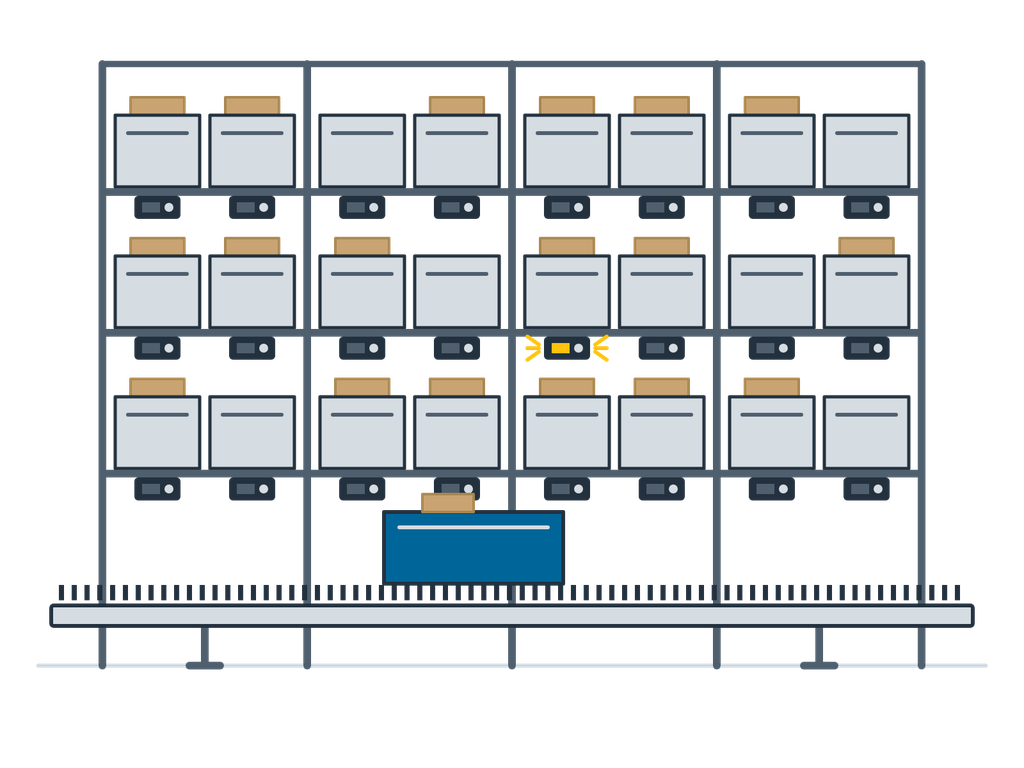
Lights and displays at each location show where to pick and how many; press to confirm. Low investment, fast to install, an entry step for fast-moving small items.

With pick-to-light, every location has a light with a numeric display and confirm button. When the picker scans an order, the locations to pick light up and show the quantity; the picker takes the items, presses to confirm and moves to the next light, without reading a pick list. Put-to-light works the other way round: a batch is picked first, then each item scanned lights the order slot on a wall or rack, the item goes in and the light is pressed. Both can be used on their own or with goods-to-person stations and put walls.

Typical uses

  • Fast-moving small items in e-commerce, pharmaceuticals and spare parts
  • Store allocation and order consolidation
  • Put indication at goods-to-person stations
  • Returns and small-order consolidation

How to choose

  • SKU count and daily order lines: fast movers fit best
  • Batch-pick-then-put or pick by order
  • Rack type: flow rack, shelving or put wall
  • How it connects to the WMS

When it is not the right choice

  • Huge numbers of SKUs that are rarely picked: a light on every location does not pay; use handhelds or goods-to-person
  • Large items and full-case picking: light guidance adds little; compare with RF handhelds and voice picking per project

Key figures

Picking ratePublished industry reference about 350–500 lines per person-hour, confirmed by layout, order profile and acceptance tests
AccuracyPublished industry reference about 99.8–99.9%, confirmed by acceptance tests
ModulesNumeric display and confirm button; multicolour lights optional
ModesPick-to-light (by order), put-to-light (batch then put)
InterfaceTasks from and confirmations to the WMS

Figures are typical configuration ranges; exact specifications are set per project.

Options

  • Multicolour lights for several pickers at once
  • Put wall with light curtains to detect puts (error-proofing logic designed separately)
  • Carton flow racks
  • Combined with goods-to-person stations and conveyors

Scope of supply

  • Machine, drives and control cabinet, assembled and dry-run tested before shipping
  • The equipment's own control and fleet software; interfaces to your existing WMS / ERP as the project requires
  • Drawings: general arrangement, foundation and anchor plan, electrical schematics
  • Conformity documents for the equipment and the whole line, the split of responsibilities and the acceptance criteria are set out in the contract according to the project scope
  • Spare-parts list and wear-part recommendation; a first batch can ship with the equipment
  • Factory acceptance (FAT): attend in person or follow by live video
  • Installation, commissioning and operator training can be included in the offer

What we need for an offer

  • SKU count, daily orders and order lines
  • Existing or planned racking
  • Batch-and-put or pick by order
  • WMS name and interface

Related equipment

Request an offer for this equipment